The private AI platform for IT, compliance, operations, and engineering teams. Ship secure internal AI with Active Directory SSO, governed automation, and full request-level traceability. Your data stays inside your network.
The entire stack — LLM, database, API, frontend — runs within your corporate firewall. No external API calls, no telemetry, no cloud dependencies.
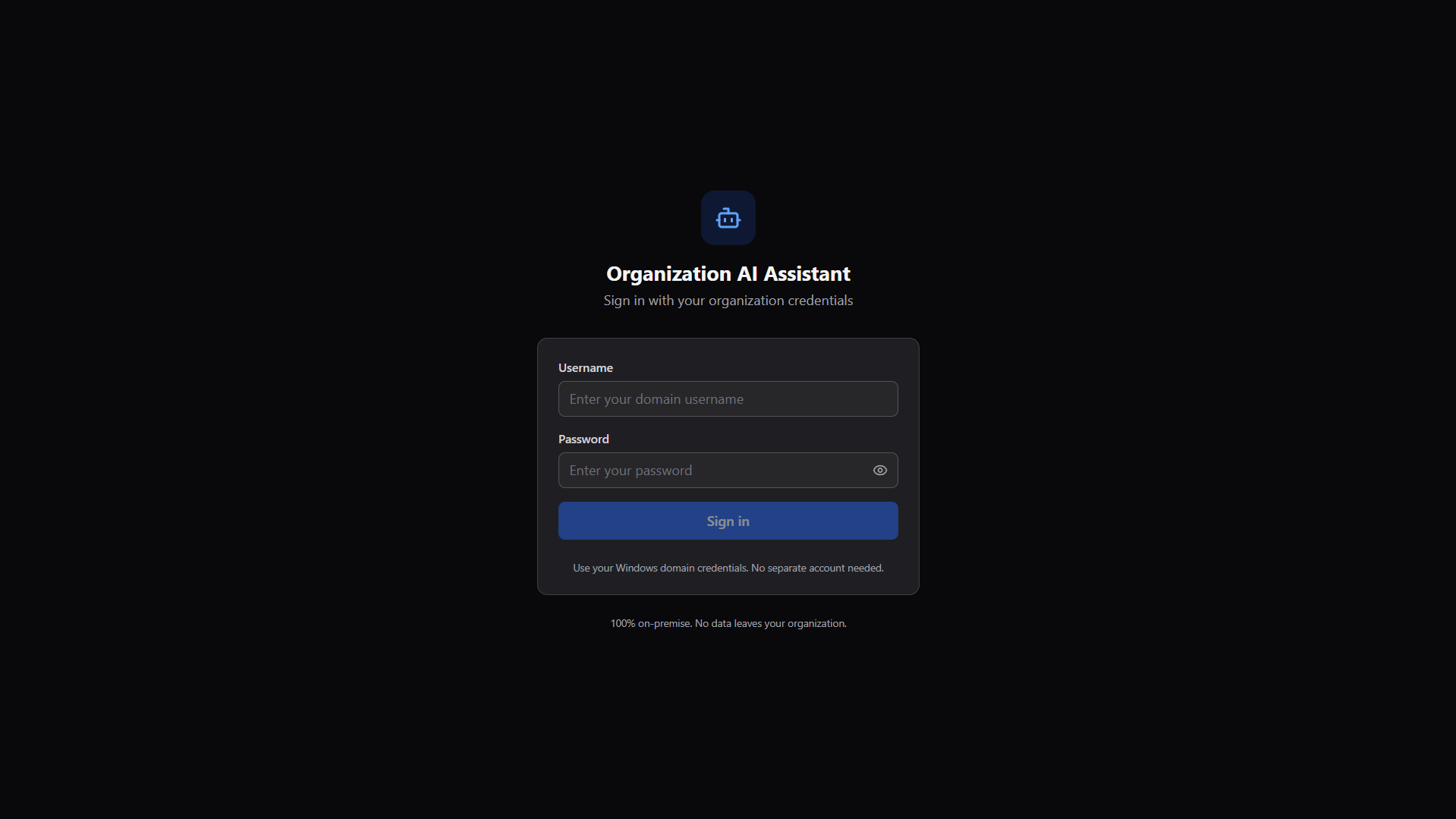
Authenticate via your existing Windows domain credentials (LDAP/LDAPS). No separate accounts needed — employees use the same login they already know.
Every action is logged: logins, messages, admin changes, exports. Meet compliance requirements with immutable, searchable audit records.
Granular permissions for users, departments, and admin groups. Control who can access which agents, knowledge bases, and admin functions.
From pilot to production without sending sensitive data outside your network. Everything is self-hosted, governed, and ready for enterprise rollout.
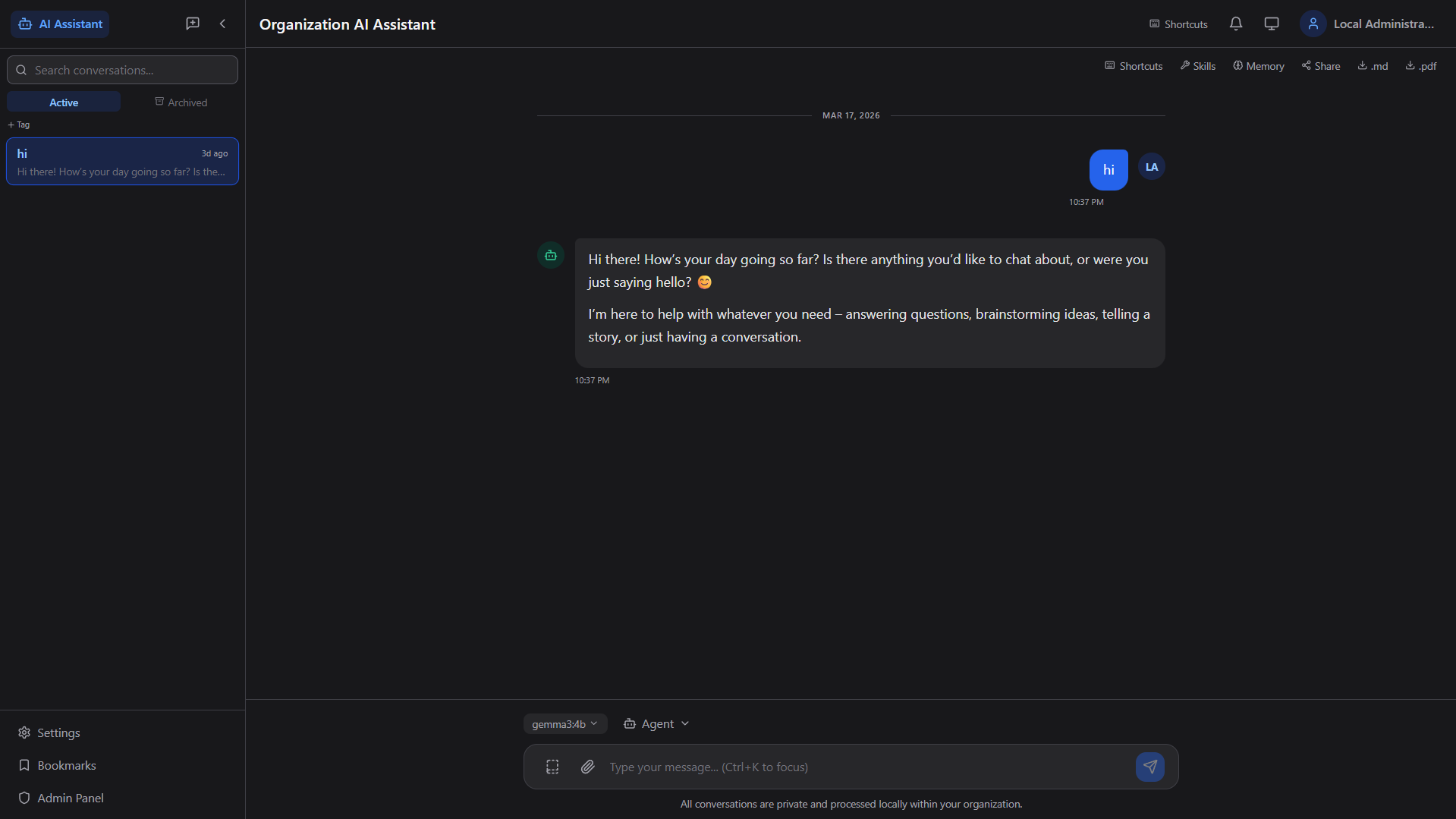
Real-time streaming chat with context-aware responses, conversation history, search, tagging, archiving, and keyboard shortcuts.
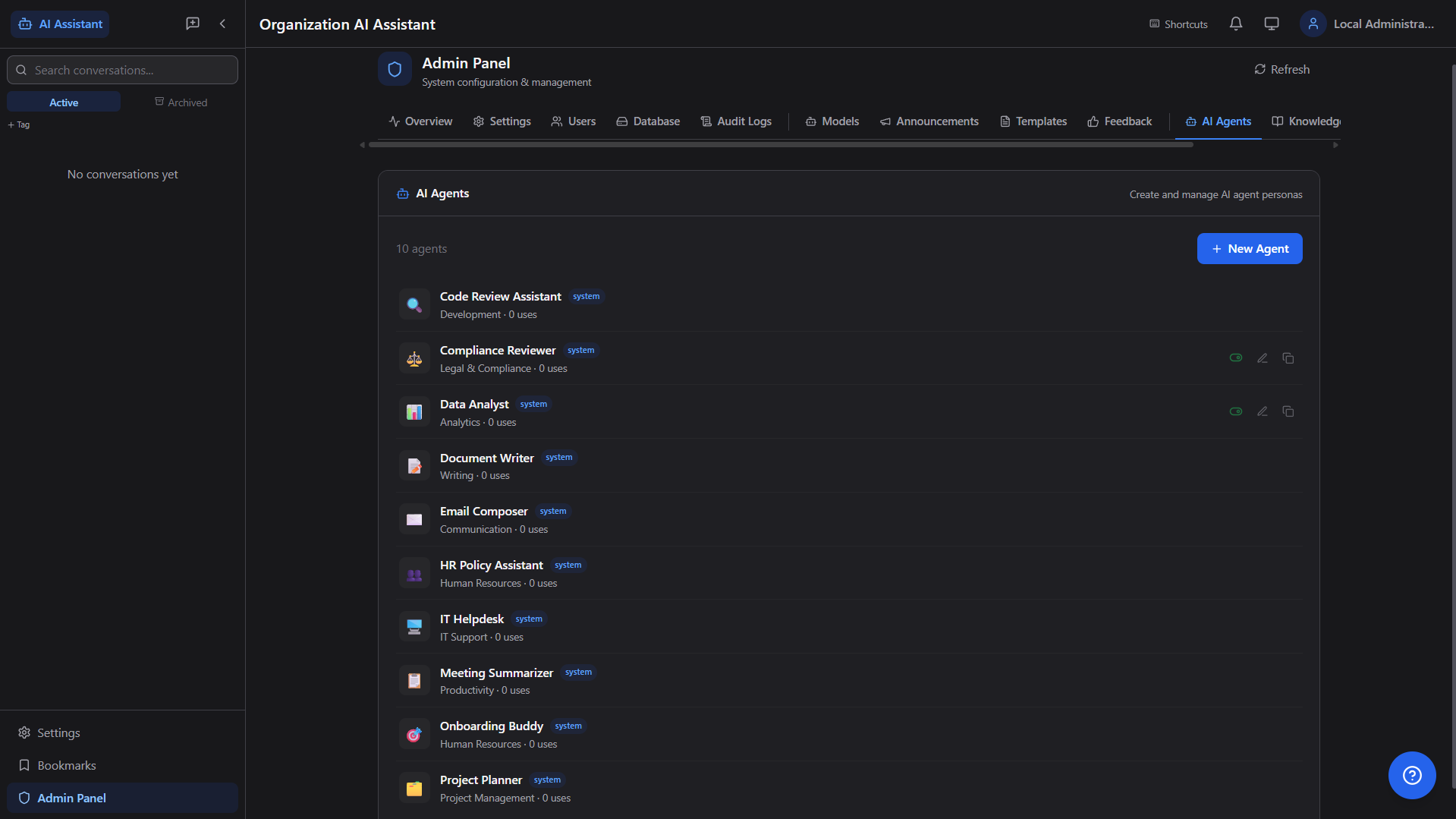
10+ specialized personas — Code Reviewer, Data Analyst, HR Policy, IT Helpdesk, Document Writer — each with custom system prompts and behavior.
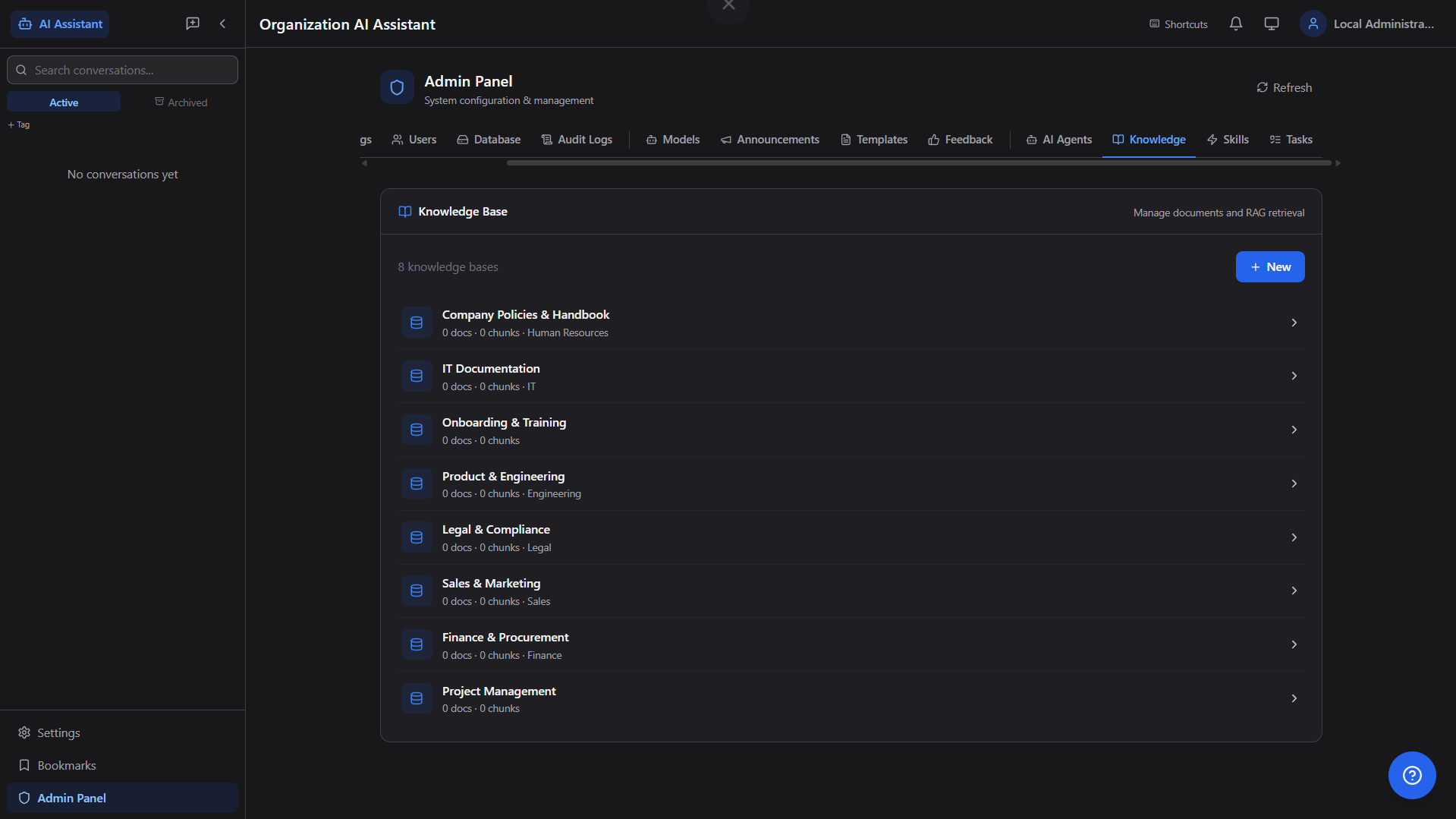
Upload company documents (PDF, DOCX, PPTX, XLSX), auto-chunk and embed, then query them in natural language with source citations.
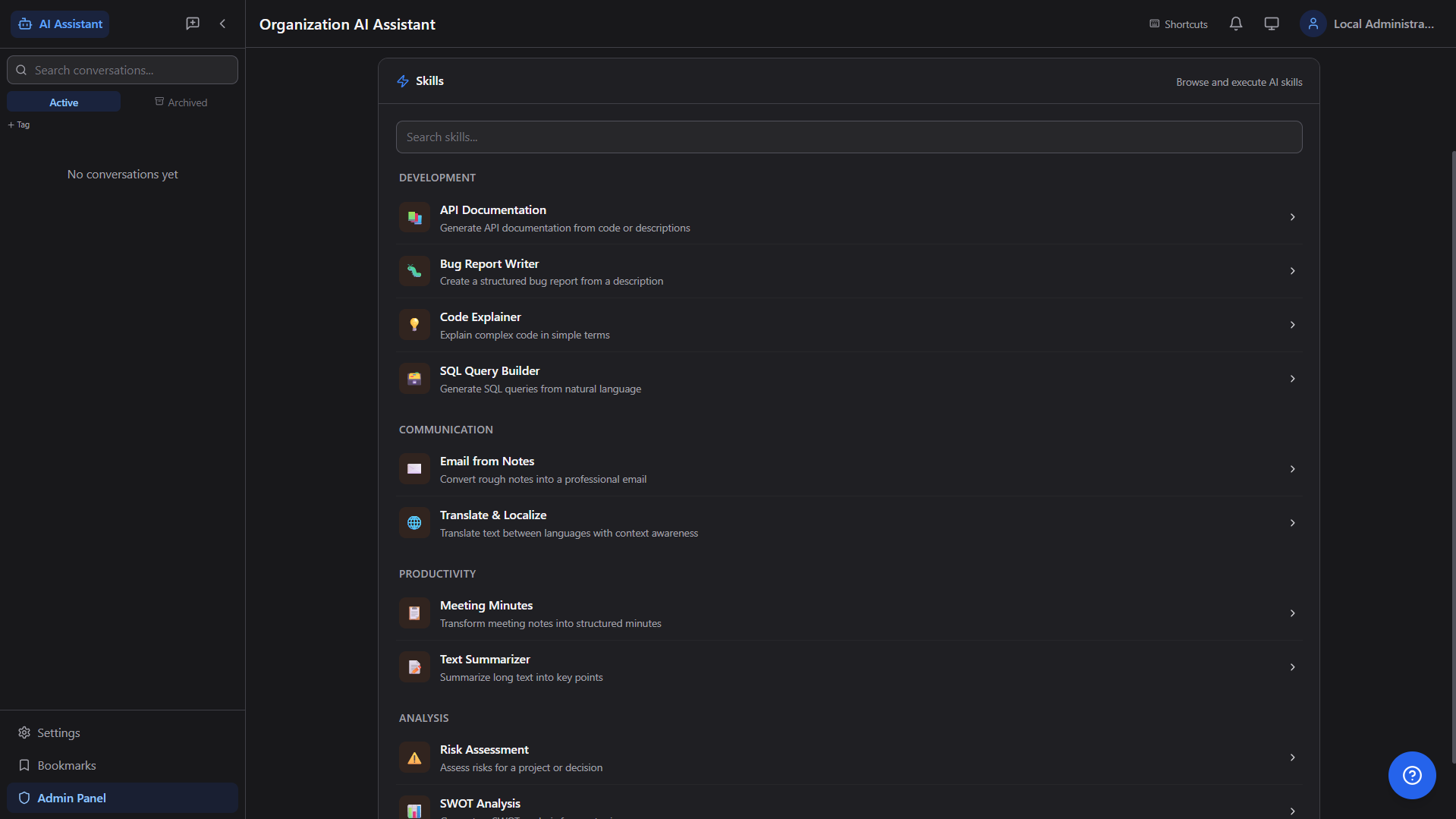
Pre-built multi-step AI workflows — API Docs Generator, Bug Report Writer, SQL Builder, Meeting Minutes, SWOT Analysis, and more.
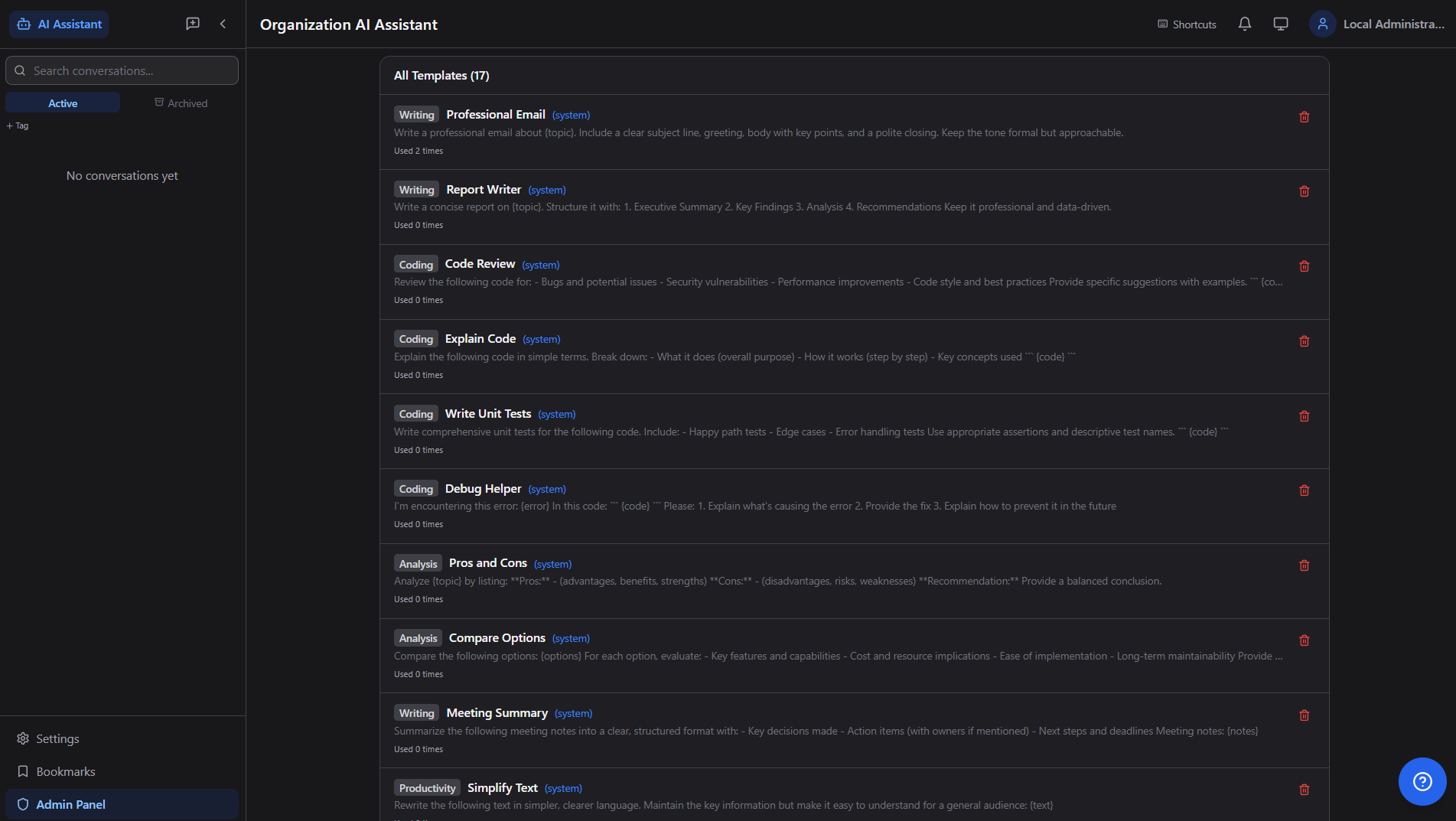
17+ system templates (Writing, Coding, Analysis, Productivity) — one-click reuse for Professional Email, Code Review, Report Writer, etc.
Persistent memory across conversations — user preferences, facts, and context. Auto-extract or manually add memories per user, department, or org.
Attach images and documents directly to chat. AI analyzes uploaded files (PDF, Word, Excel, PowerPoint, HTML) with full text extraction.
Export individual conversations as styled PDF or Markdown. Bulk export all conversations as a timestamped ZIP archive for compliance.
Share conversations with colleagues via secure internal links. Bookmark important messages, tag conversations for easy retrieval.
Comprehensive control plane for system operations, content governance, and AI automation. Feature-flag aware UI ensures clean, reliable admin workflows.
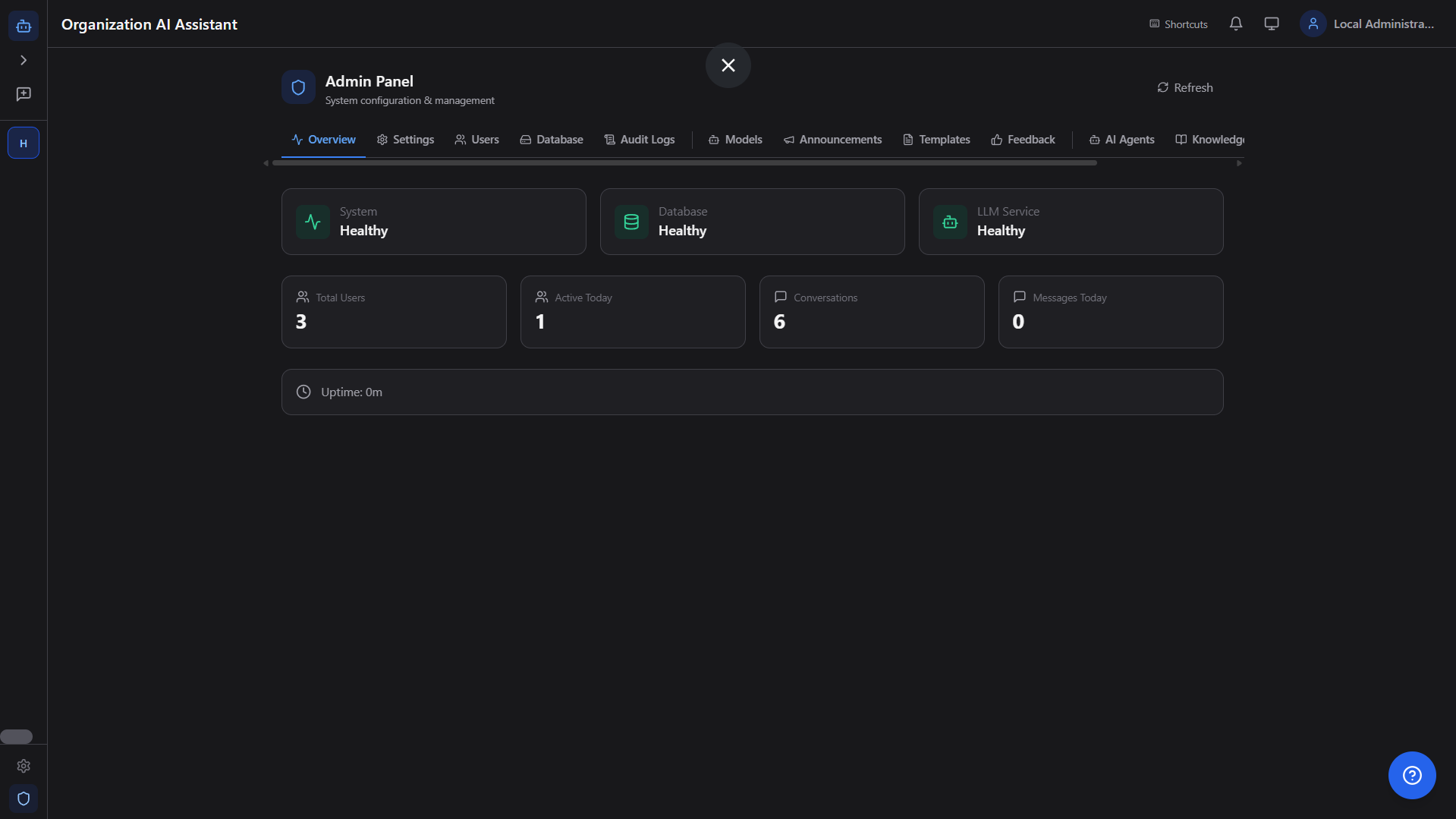
Real-time system health monitoring — database, LLM service, uptime, active users, total conversations, and message counts at a glance.
Full backup/restore across mapped tables including organization mappings, connection stats, table row counts, and per-table clear controls.
Pull, switch, and delete Ollama models from the admin UI. Configure temperature, max tokens, context window, GPU layers per model.
Background job scheduler with cron expressions — automated reports, data cleanup, periodic notifications. Full execution history and error logs.
In-app notification center and organization-wide announcements. Push alerts from scheduled tasks, admin broadcasts, and system events.
Inspect request phases, model routing, retrieval activity, retries, and completion latency to improve quality and reduce operational blind spots.
Idempotent action requests with approve/reject/execute controls for safer automation in regulated environments and change-managed operations.
The platform now includes deeper observability and safer automation controls for enterprise rollout and governance.
Every request can be inspected phase-by-phase (prompt, model route, retrieval, retries, completion) for faster debugging and QA.
Admins can monitor latency, quality flags, model usage patterns, and trace sessions from one operations-focused control surface.
High-impact actions now support idempotency keys and approval gates to reduce duplication risk and improve operational safety.
Every screen is designed for productivity — dark theme, responsive layout, keyboard shortcuts, and zero learning curve.

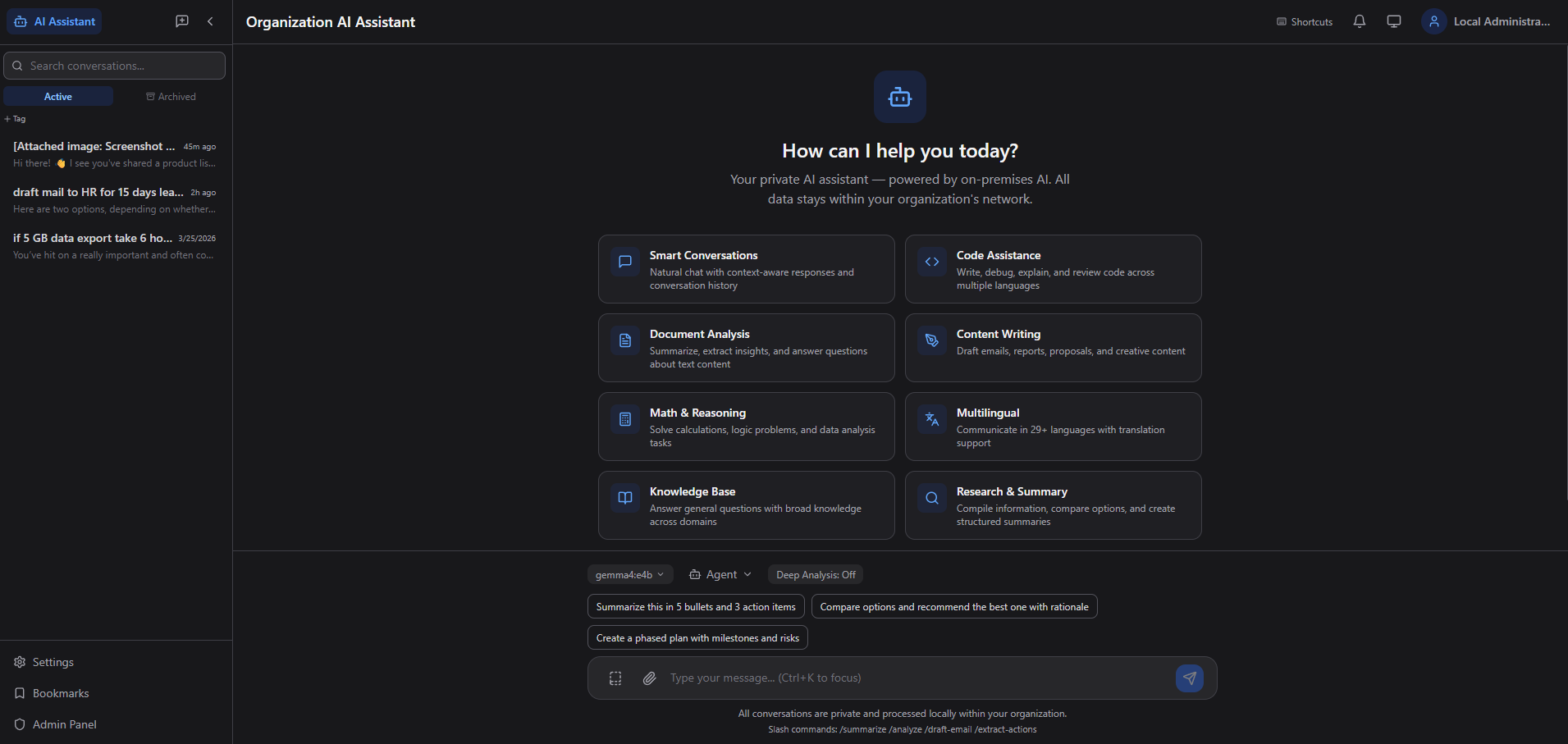
Welcome screen with 8 capability cards — Smart Conversations, Code Assistance, Document Analysis, Content Writing, Math & Reasoning, Multilingual, Knowledge Base, and Research.

Real-time streaming with model selector, agent picker, file attachments, Skills, Memory, Share, and export (.md/.pdf).

Active Directory SSO with domain credentials. "100% on-premise. No data leaves your organization."

10 specialized personas — Code Review, Compliance, Data Analyst, Document Writer, Email Composer, HR Policy, IT Helpdesk, and more.

8 department-scoped knowledge bases — Company Policies, IT Documentation, Legal, Sales, Finance, Engineering, and more.

Categorized AI workflows: Development, Communication, Productivity, Analysis — API Docs, Bug Reports, SQL Builder, Meeting Minutes, SWOT.

17 system templates across Writing, Coding, Analysis, and Productivity categories. One-click reuse with usage tracking.

System, Database, and LLM Service health indicators with Total Users, Active Today, Conversations, and Messages Today metrics.

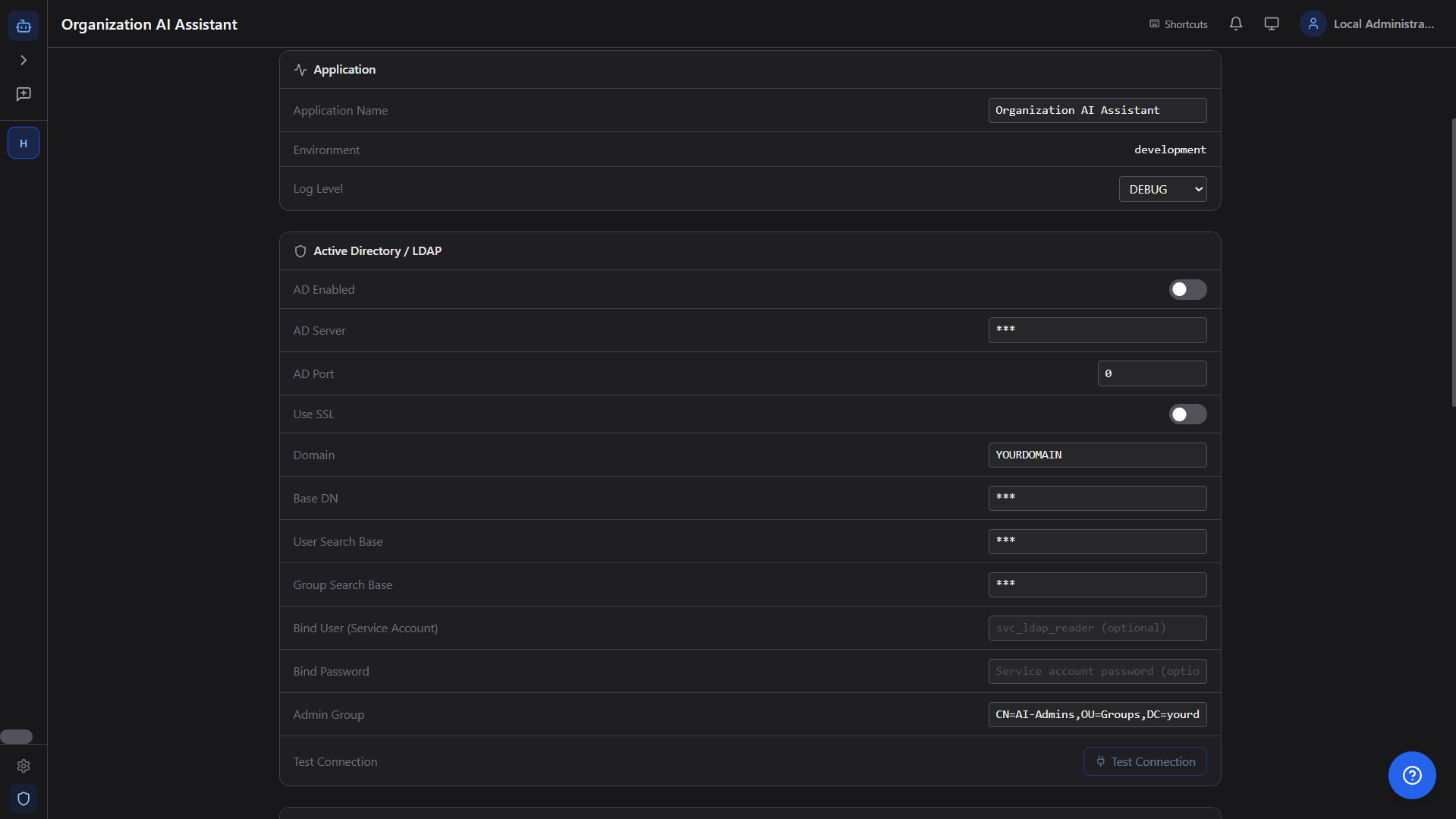
Full system configuration — Application, Active Directory / LDAP, LLM Engine, Session, Rate Limiting, and more. Live .env persistence.

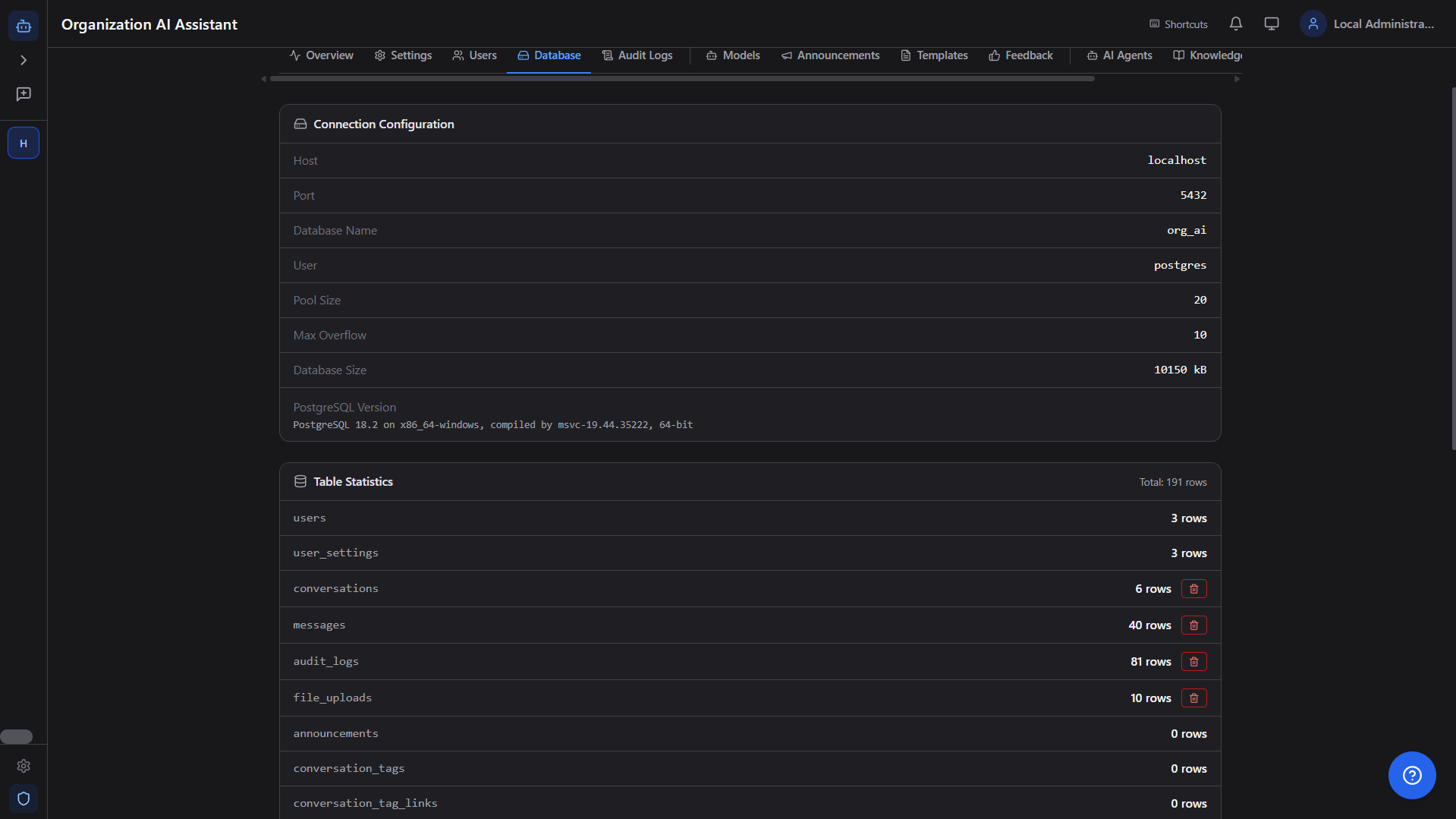
Connection configuration, PostgreSQL version, table statistics with row counts, and per-table clear/export/import controls.
Every component runs within your corporate network. No external API calls, no telemetry, no cloud dependencies whatsoever.
Pick your preferred deployment path. Start in minutes on a laptop and scale to enterprise infrastructure without changing core architecture.
# Clone the repository git clone https://github.com/sagarsorathiya/Organization_AI.git cd Organization_AI # Run the setup wizard (detects hardware, installs everything) powershell -ExecutionPolicy Bypass -File setup.ps1
# Clone the repository git clone https://github.com/sagarsorathiya/Organization_AI.git cd Organization_AI # Run the setup wizard chmod +x setup.sh ./setup.sh
# Clone and configure git clone https://github.com/sagarsorathiya/Organization_AI.git cd Organization_AI cp .env.example backend/.env # Edit backend/.env with your settings # CPU-only (works on any server) docker compose up -d # With NVIDIA GPU acceleration docker compose -f docker-compose.yml -f docker-compose.gpu.yml up -d
# 1. Backend cd backend python -m venv venv source venv/bin/activate # Linux venv\Scripts\activate # Windows pip install -r requirements.txt cp ../.env.example .env # Configure .env alembic upgrade head uvicorn app.main:app --port 8000 # 2. Frontend cd ../frontend npm install npm run dev # 3. Pull an AI model ollama pull llama3.2:3b
Scale from a single developer laptop to multi-GPU rack servers. Zero changes to code — just add hardware.
| Deployment | Hardware | Model | Parallel Users |
|---|---|---|---|
| Developer Laptop | 16 GB RAM, 6-core CPU | Llama 3.2 3B / Gemma 3 4B | 1 – 3 |
| Small Team Server | 32 GB RAM, RTX 3060 12 GB | Llama 3.1 8B | 10 – 25 |
| Department Server | 64 GB RAM, RTX 4090 24 GB | Llama 3.1 8B (quantized) | 25 – 80 |
| Enterprise Rack | 128+ GB RAM, 2× A100 80 GB | Llama 3.1 70B | 80 – 200+ |
Run secure, auditable, high-performance AI inside your own network with zero cloud exposure and full operational control.